Saved Videos Out of Control

Teaching and Training Concepts |
Guest

Who else has an unusable list of saved videos somewhere on their phone? I (Clayton) used to save a lot of videos on Instagram because I wanted to take another look at them later. But then I got mad at Meta, so I created lists of links in a Google doc. Then Google gave up on “don’t be evil.” so now I kinda have notes everywhere. And when I go to look back at them, I don’t really remember why they are there. Was it the opening move, or do I need to sit and watch the whole video for a quirky, clever theory at the end of the video? Was there a technique in there I was curious to look back on? Or did I just love the performance quality and wanted to be inspired by it again?

Remembering things is nice, but remembering “the why” is just as important.

This blog post is a little bit about our new bookmark feature going live on April 15th (because we are truly excited about it), but it is also about note taking in class or training sessions and how aerial brains work. This also applies to scrolling social media, which we’ll just call “research”, right.

Saving something feels productive. It feels like a decision made and like we are making our grade school teachers proud by taking notes. But these saved lists can quickly become just one more thing to slosh through if they’re not organized for the future you who won’t remember exactly why you saved it in the first place.

Future you needs the “why”, even though today you might be satisfied with the “what” or the “how”. So not just, this action is important or this conditioning drill is worth remembering, but also “why” they are. This “why” focus is how we teach aerial and it is why our tutorials aren’t just a demonstration of steps but an explanation of the “why”. The way everything connects is what is really important.


We love it when our students ask us “Why?”

It means they are present and thinking, not just mimicking, and it also means they are taking charge of their learning. To write down why in your notes, it means you have to know, and to know you probably have to ask, and asking is learning.

When we originally built the site, all of our tutorials came with a heart-shaped favorite icon. Clicking the icon dropped the tutorial in one big favorites list, which for many members could quickly become a large unmanageable list. We knew we wanted to improve this, but we also wanted it to work with the way our aerial brains work and how our tutorials are organized. This means the saves need to be useful to our future selves and to do that they need intention and context. After looking for the right software for a long time, we opted to build our own. One that works like our aerial brains do.

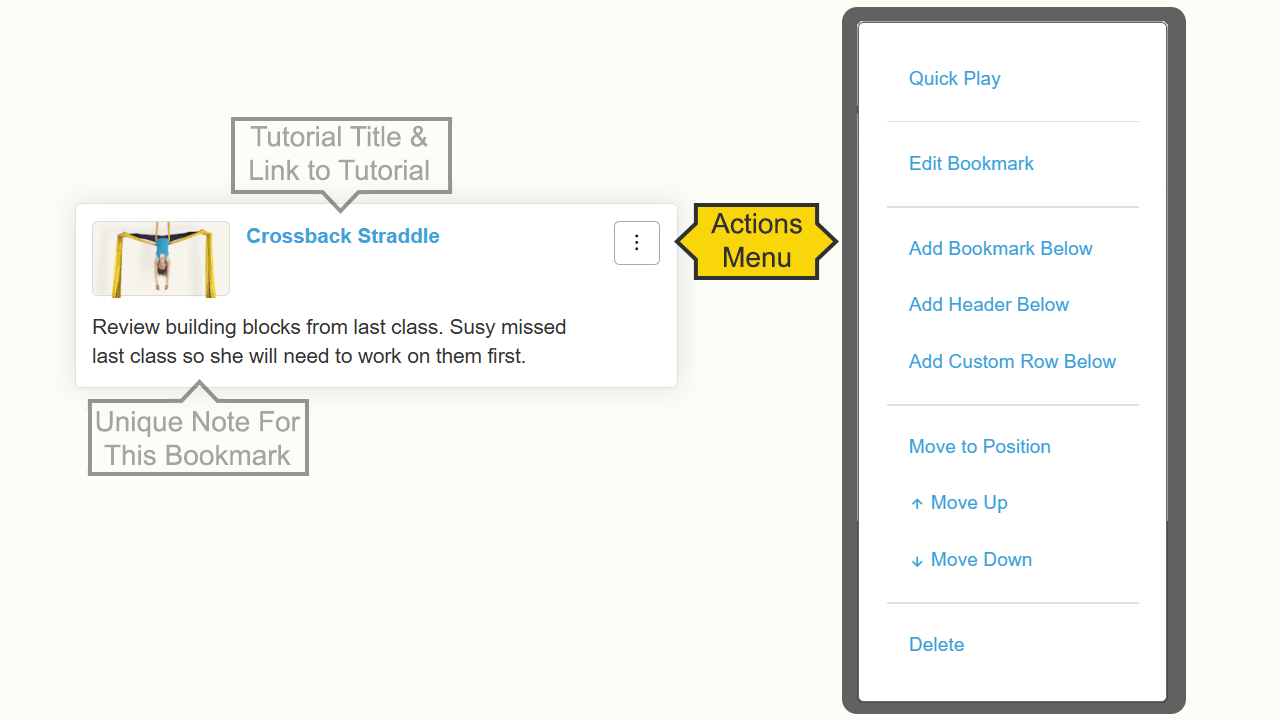
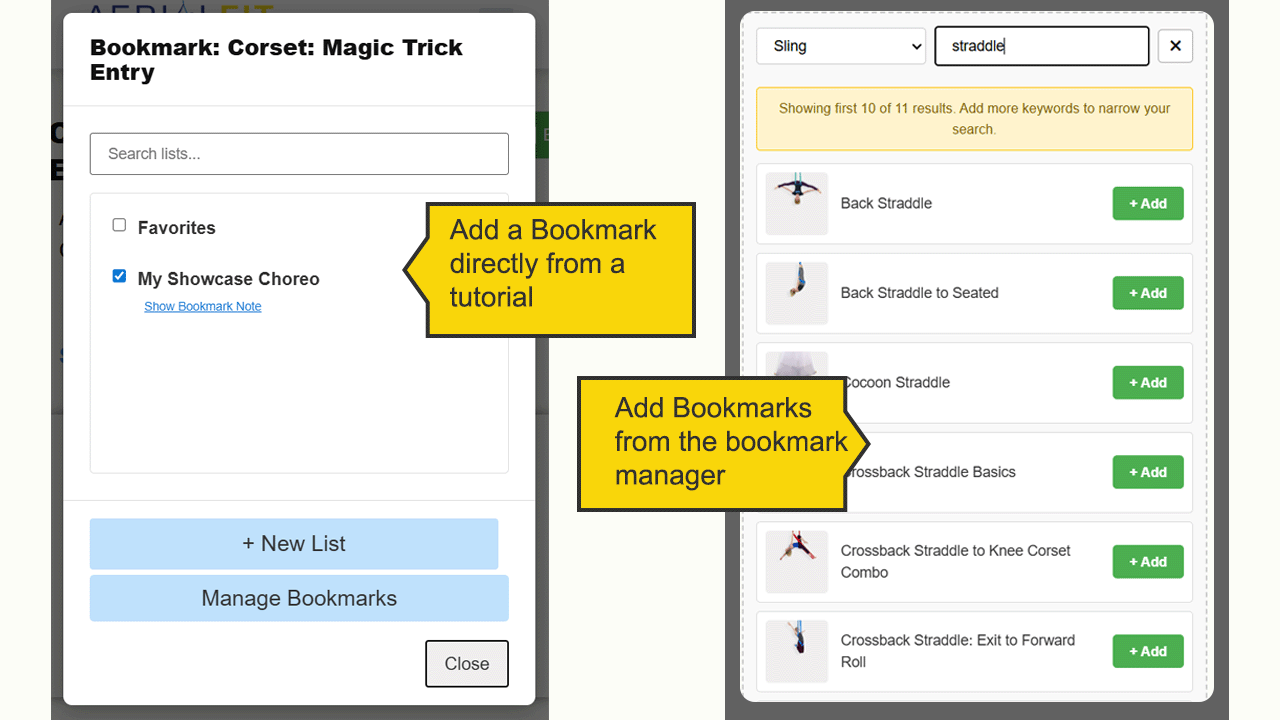
So, not only do we have a button that saves tutorials to customizable collections, but now we’ve also built a feature that includes why it was saved. So our saved collections can include unique notes, like:

• “Use this for students who are frustrated by inversions.”
• “Come back to this when hip flexibility improves.”
• “The internal shoulder rotation is what I am always missing.”

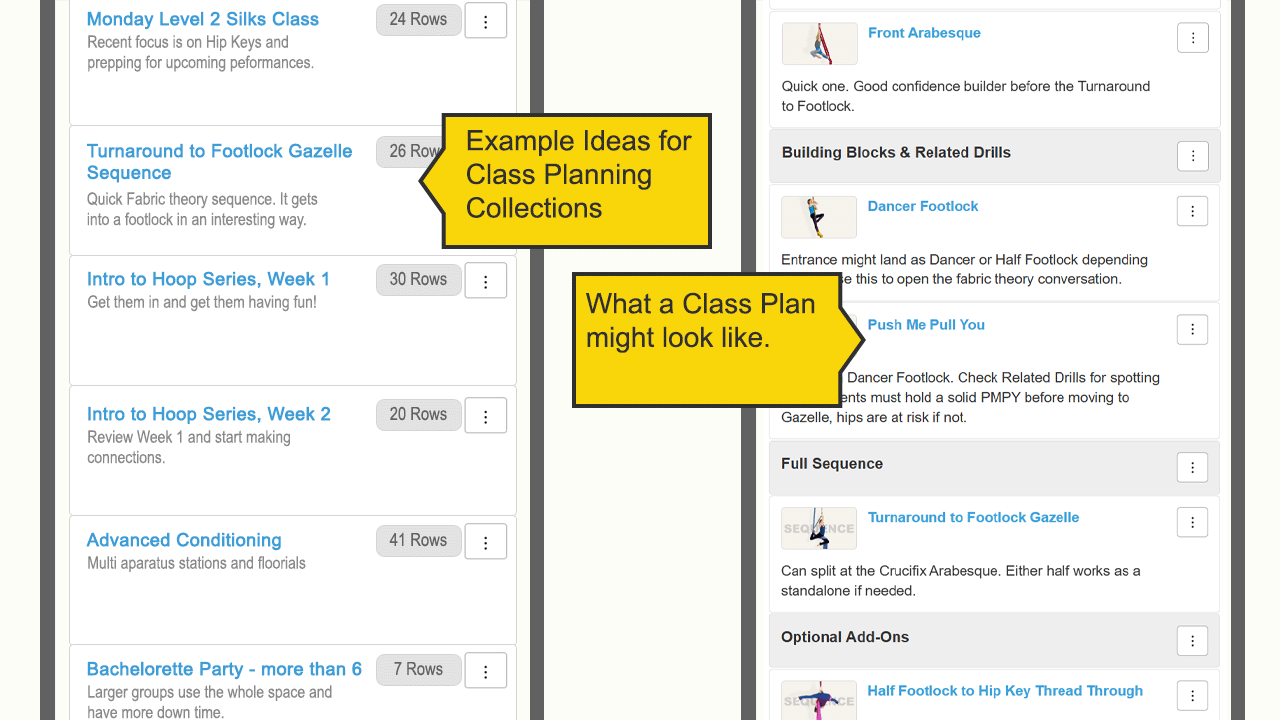
Saved collections can also be organized into sections with headers like, aerial warm ups for a class plan, or chorus 2 for a sequence plan. Custom rows can be added that include a place to make more detailed optional notes or even add links to content on different sites. And everything can be reordered and moved around exactly how you want it.

We built this custom bookmark feature for the same reason we teach the way we teach.

The steps matter, but the connection between them is what actually sticks. Future you is going to thank you for this. Not for saving the thing, they already knew you’d do that. But for writing down the thought you had when you saved it.

By the way, I still have that Google doc. I’m not ready to delete it yet. But when I save something on AFO now, I tell myself why. And when I revisit that save and discover something new in it, I can go back in and update my note so the list is always growing and changing with me.

Watch the video:

The AFO Bookmark Software

This quick video explains what our bookmark feature can do and how to make the most use of the features.

Learn more about the new bookmark feature.

Leave a Reply

Your email address will not be published. Required fields are marked *